> For the complete documentation index, see [llms.txt](https://help.timelygrader.ai/llms.txt). Markdown versions of documentation pages are available by appending `.md` to page URLs; this page is available as [Markdown](https://help.timelygrader.ai/canvas-support-articles/assignments/customizing-feedback.md).
# Advanced: Customizing Feedback
Adjust the tone, length and structure of first-pas feedback.
**Feedback Settings** let you adjust the structure, tone, language level and length of AI-generated feedback, and give instructions for how it’s written. By default, feedback gives clear, criterion-based comments tied to your rubric.
{% hint style="success" %} **Hugo’s tip:** Feedback Settings control the *structure* of feedback. What the feedback says follows the grading rationale, so to change its *content*, adjust [Grading Settings](/canvas-support-articles/assignments/customizing-grading.md) first.
{% endhint %}
## Steps
{% stepper %}
{% step %}
### Open Feedback Settings
Open the assignment, click **Edit**, and go to **Feedback Settings**. They start from your defaults in **Settings → Preferences**, and you can change them for this assignment.
{% endstep %}
{% step %}
### Choose a structure and customize it
The options available depend on the feedback structure you choose:
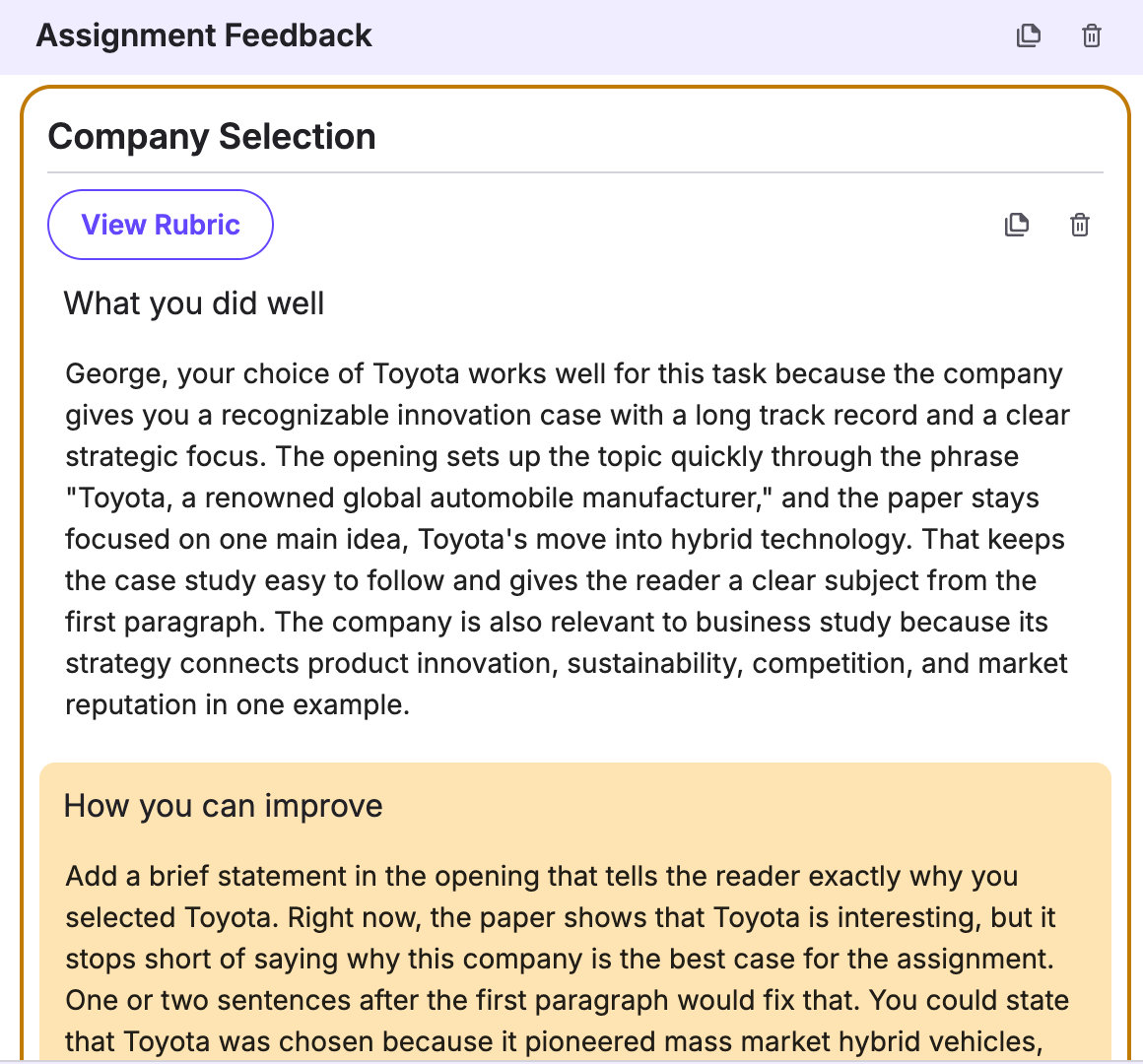
* **Rubric-Based Feedback (default):** one positive comment and one improvement suggestion per rubric criterion. Adjust suggestion length, language level, tone, and what to focus on.
*
```
```
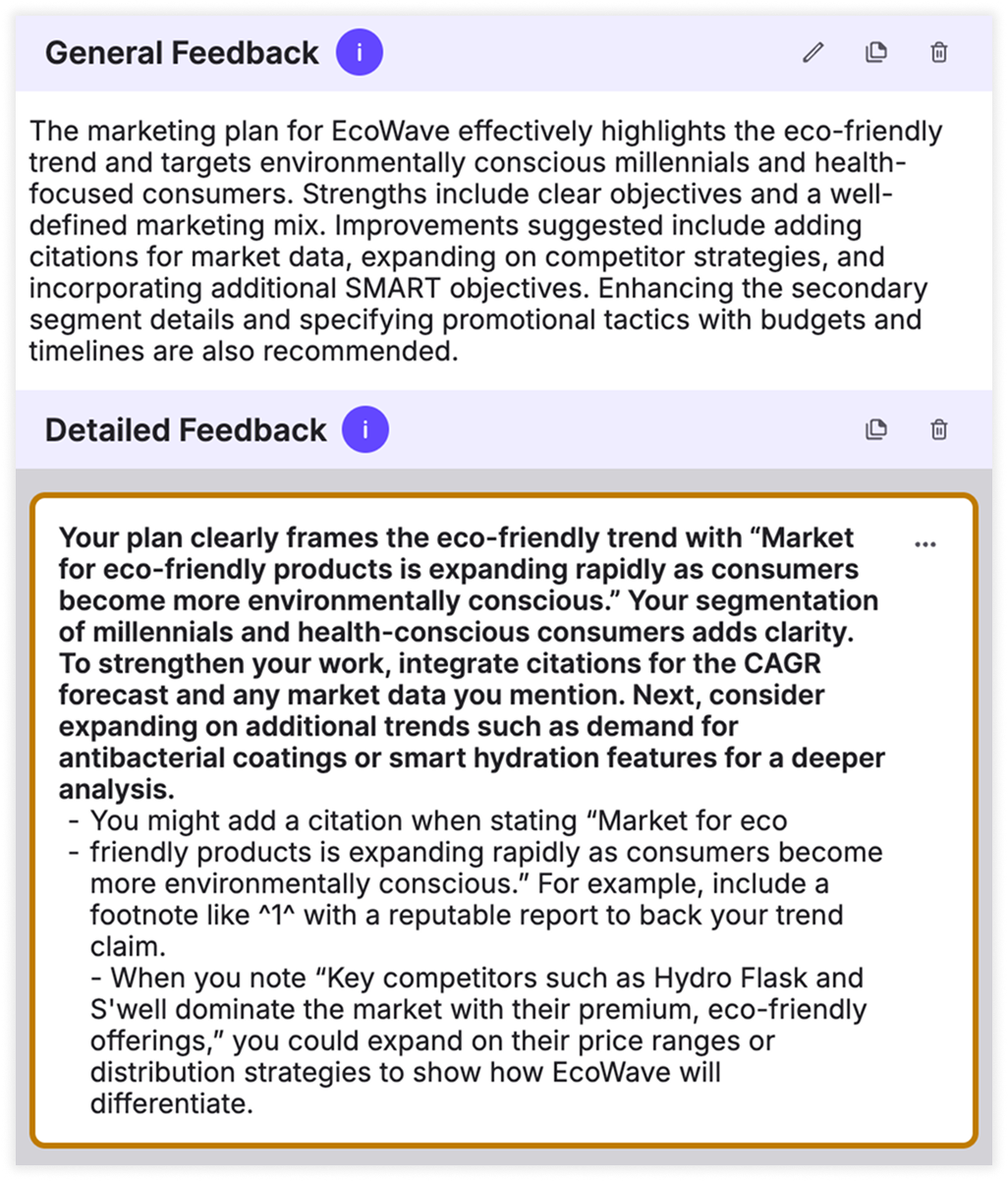
* **General & Detailed Feedback:** a general feedback paragraph plus up to five targeted improvement suggestions. Adjust the number of suggestions, their length, language level, tone, and focus.
*
```
```
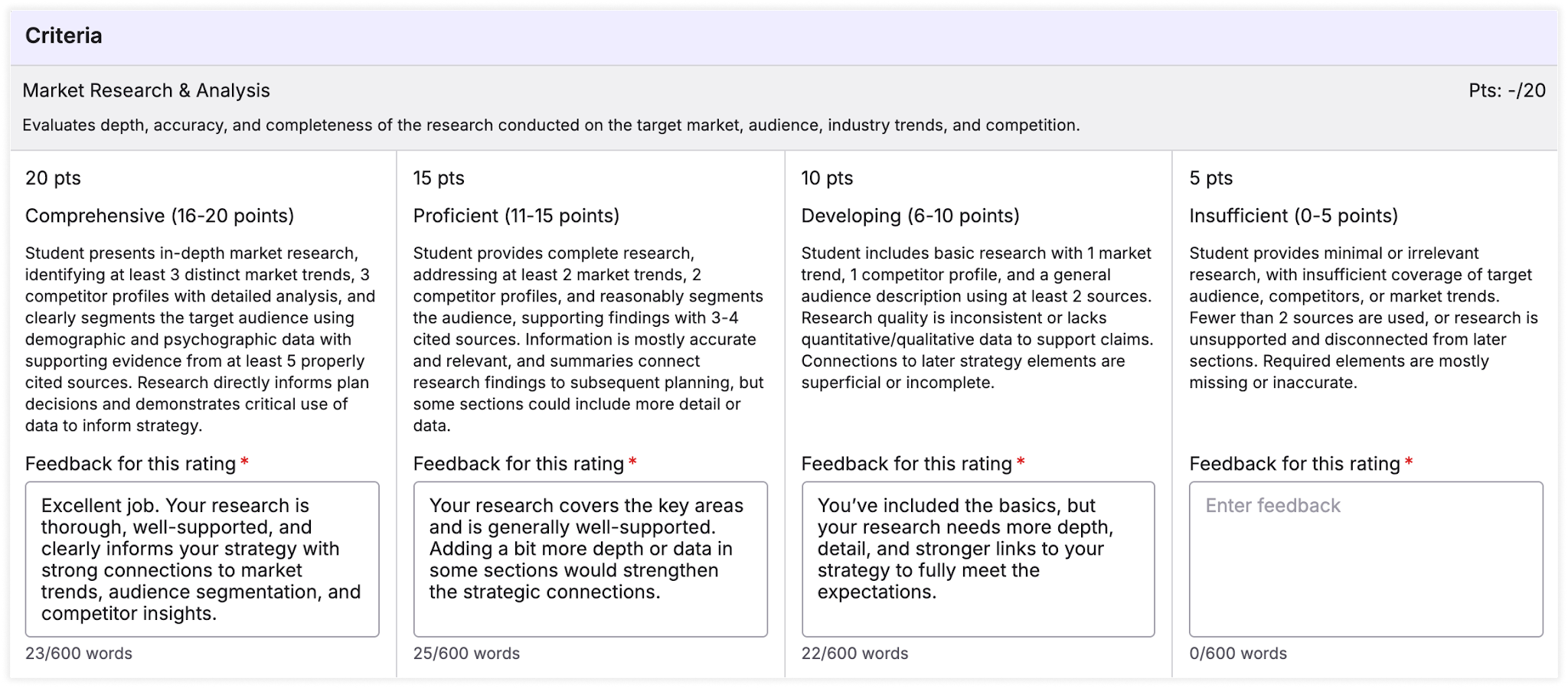
* **Smart Feedback Templates (manually created):** write feedback in advance for each rubric rating; it is applied automatically during grading.
*
```
```
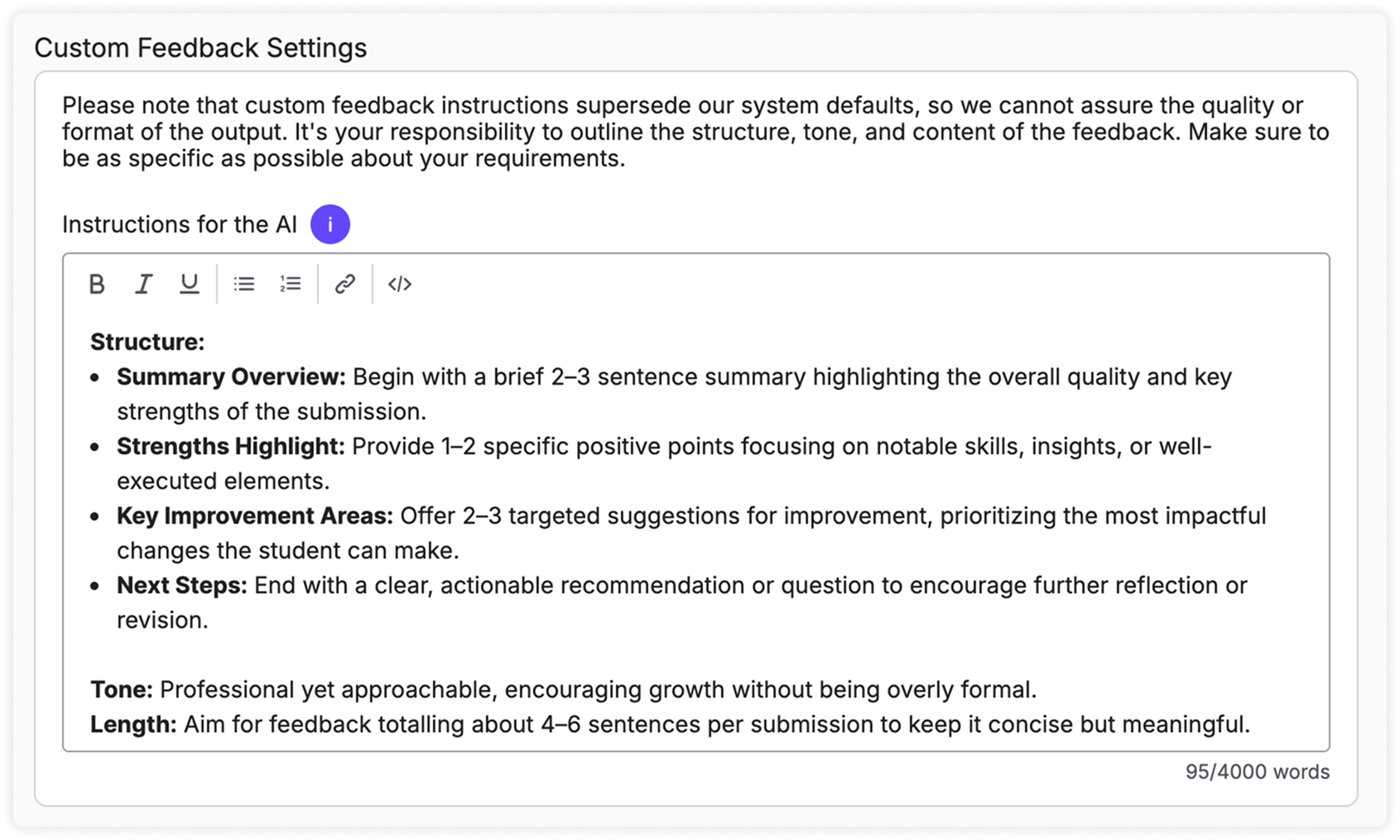
* **Custom Feedback Settings:** when the other structures don’t fit, write your own instructions for tone, structure and content.
{% hint style="success" %} **Hugo’s tip:** Custom structures can take some trial and error. Iterating on your instructions is called fine-tuning; see [Refining AI Accuracy](/canvas-support-articles/assignments/refining-ai-accuracy.md).
{% endhint %}
{% endstep %}
{% step %}
### Changes are saved automatically
Similar to grading settings, changes are saved automatically and we show you the timestamp when the assignment was last saved.
{% endstep %}
{% endstepper %}
## Inline comments and feedback language
* **Inline Comment Settings** control how inline comments on the student’s text are created. They work much like Feedback Settings.
* **Feedback language** is set per course, under **Settings → Course Details**. Changing it only affects submissions processed afterwards; feedback already processed or released stays as it is.
See [Understanding your Settings page](/user-guides-get-started-here/settings-language.md) for your defaults and language options.
## Related articles
* [Advanced: Customizing Grading](/canvas-support-articles/assignments/customizing-grading.md)
* [Regeneration for More Accurate Feedback](/canvas-support-articles/assignments/regeneration.md)
* [How to Grade Submissions with TimelyGrader](/canvas-support-articles/assignments/grade-submissions.md)

 **Hugo’s tip:** Feedback Settings control the *structure* of feedback. What the feedback says follows the grading rationale, so to change its *content*, adjust [Grading Settings](/canvas-support-articles/assignments/customizing-grading.md) first.
{% endhint %}
## Steps
{% stepper %}
{% step %}
### Open Feedback Settings
Open the assignment, click **Edit**, and go to **Feedback Settings**. They start from your defaults in **Settings → Preferences**, and you can change them for this assignment.
**Hugo’s tip:** Feedback Settings control the *structure* of feedback. What the feedback says follows the grading rationale, so to change its *content*, adjust [Grading Settings](/canvas-support-articles/assignments/customizing-grading.md) first.
{% endhint %}
## Steps
{% stepper %}
{% step %}
### Open Feedback Settings
Open the assignment, click **Edit**, and go to **Feedback Settings**. They start from your defaults in **Settings → Preferences**, and you can change them for this assignment.