> For the complete documentation index, see [llms.txt](https://help.timelygrader.ai/llms.txt). Markdown versions of documentation pages are available by appending `.md` to page URLs; this page is available as [Markdown](https://help.timelygrader.ai/canvas-support-articles/assignments/refining-ai-accuracy.md).
# Refining AI Accuracy in TimelyGrader: A Practical Guide
Small, targeted changes that make AI suggestions clearer, more accurate and closer to your expectations.
First results are rarely perfect. A few targeted adjustments bring the AI’s suggestions much closer to how you grade.
## 1. Start with a baseline
Upload the assignment and rubric with minimal edits and run a first pass. Read the grading explanations next to the suggested grades, and look for:
* vague criteria, such as “good analysis” or “clear argument”,
* criteria that don’t state their intent, and
* context that lives in separate documents the AI hasn’t seen.
The baseline is how you catch misreadings. Finding the errors is the first step.
{% hint style="info" %}
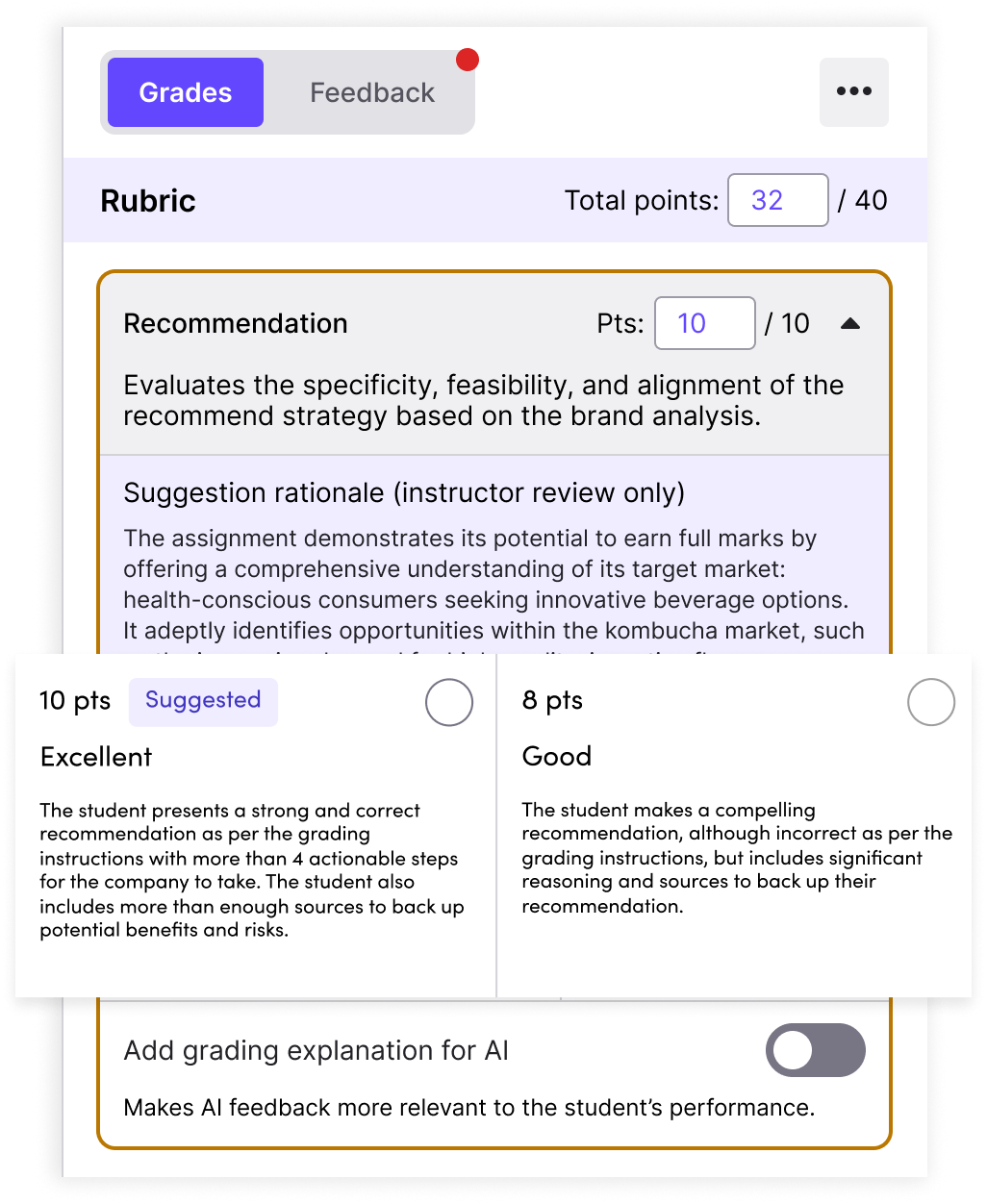
**Example:** A Marketing Strategy Report has a Recommendation criterion with four rating levels and no descriptions. The AI has to guess what each level means, and the guesses are often inaccurate.
{% endhint %}
## 2. Decide what to adjust
### Update the rubric
Add clear performance descriptions for each rating level, replace vague phrasing with measurable indicators, and add criteria that reflect what you care about now. A more concrete rubric grades more consistently.
* **Before:** “Excellent Recommendation: presents a strong recommendation with relevant sources.”
* **After:** “Excellent Recommendation: presents 3 clear, evidence-based and actionable recommendations that use relevant sources to support key claims.”
### Add Grading Settings instructions
Write the judgment calls down in **Grading Settings**: general instructions for the whole rubric, and for each criterion, look-fors (what good work shows), violations and omissions (what conflicts or is missing), and custom instructions for exceptions, such as when to give partial credit or what counts as an acceptable source. Keep them clear and direct, and don’t reveal answers students shouldn’t see. See [Advanced: Customizing Grading](/canvas-support-articles/assignments/customizing-grading.md).
{% hint style="info" %}
**Example:** “If the student does not make this particular recommendation to the case study, do not provide full marks regardless of the recommendation.” Full marks are then given only when the student makes that recommendation.
{% endhint %}
## 3. Iterate and regenerate
Change one thing at a time. Setup changes apply to work processed after the change, so [reset the submissions](/canvas-support-articles/assignments/reset-grades.md) and process them again to measure the improvement, checking the new suggestions on a few submissions at different performance levels. Repeat in small cycles until the results match your standards.
{% hint style="info" %}
**Example:** With clearer descriptors and grading rules, the AI separates excellent recommendations (the correct recommendation, more than four actionable steps, ample sources on benefits and risks) from good ones (compelling, well reasoned and sourced, but not the recommendation the instructions ask for), and suggested grades spread out accordingly.
{% endhint %}
## 4. Only you know how you grade
Refinement works best with your subject expertise. Use the AI to spot patterns and inconsistencies, then work out whether the cause is vague rubric language or missing context. A writing instructor who finds the AI too lenient on grammar, for example, can tighten the rating descriptions so higher grades are harder to earn.
TimelyGrader is a teaching assistant you train, not full automation. Each round of clearer instructions brings it closer to your judgment while saving you time.
## Related articles
* [Advanced: Customizing Grading](/canvas-support-articles/assignments/customizing-grading.md)
* [Regeneration for More Accurate Feedback](/canvas-support-articles/assignments/regeneration.md)
* [How to Reset Grades and Feedback](/canvas-support-articles/assignments/reset-grades.md)