

4. Rubric Passback to Canvas Assignments
Sync your TimelyGrader rubric to the Canvas assignment so criterion grades and per-criterion feedback go back to Canvas.

Canvas supports rubric passback: TimelyGrader can send the rubric you use in TimelyGrader to the linked Canvas assignment or quiz. Once the rubric is in Canvas, each student’s criterion grades and per-criterion feedback can go back with their grade.
Syncing the rubric to Canvas
Quizzes
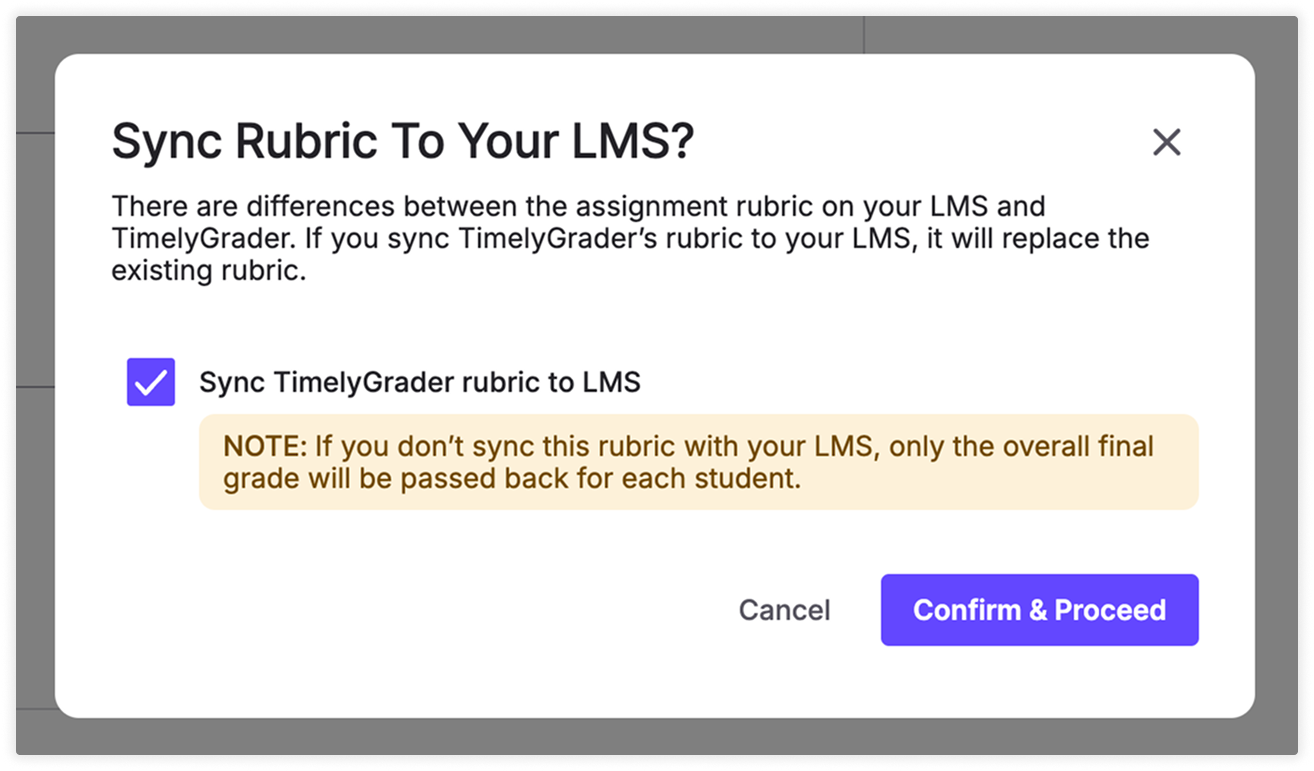
Quizzes ask the same question in the Sync Rubric To Your LMS? dialog, when you save a quiz at the end of the import and again when you publish it. With Sync TimelyGrader rubric to LMS ticked, the button reads Sync (or Confirm & Sync when publishing); unticked, it reads Skip.

See Importing a Quiz.
What happens if you don’t sync
Grade sent to Canvas
Each criterion’s grade, plus the overall grade
The overall grade only
Feedback sent to Canvas
Per-criterion feedback, next to each criterion
All feedback in the Comments box
 Hugo’s tip: Sync before you push grades. Criterion grades can only land in Canvas if the Canvas assignment has the same rubric.
FAQ
Related articles
Was this helpful?