> For the complete documentation index, see [llms.txt](https://help.timelygrader.ai/llms.txt). Markdown versions of documentation pages are available by appending `.md` to page URLs; this page is available as [Markdown](https://help.timelygrader.ai/d2l-support-articles/assignments/push-grades-to-d2l.md).
# Pushing Grades & Feedback Back to D2L
Send grades and feedback back to D2L for assignments imported from D2L.
For assignments imported from D2L, you can send grades and feedback from TimelyGrader straight back to D2L.
{% hint style="info" %}
Only instructors can push grades; TAs can’t. Quiz grades pass back the same way, with feedback going to each criterion’s feedback box. Oral assessment grades go to the Destination Assignment chosen in **Passback Settings**; see [Sending oral grades to your LMS](/d2l-support-articles/tutorials-oral-assessments-d2l-brightspace/oral-passback.md).
{% endhint %}
## Steps
{% stepper %}
{% step %}
### Open the assignment
Go to the **Assignments** page and open the graded assignment.
{% endstep %}
{% step %}
### Push grades and feedback
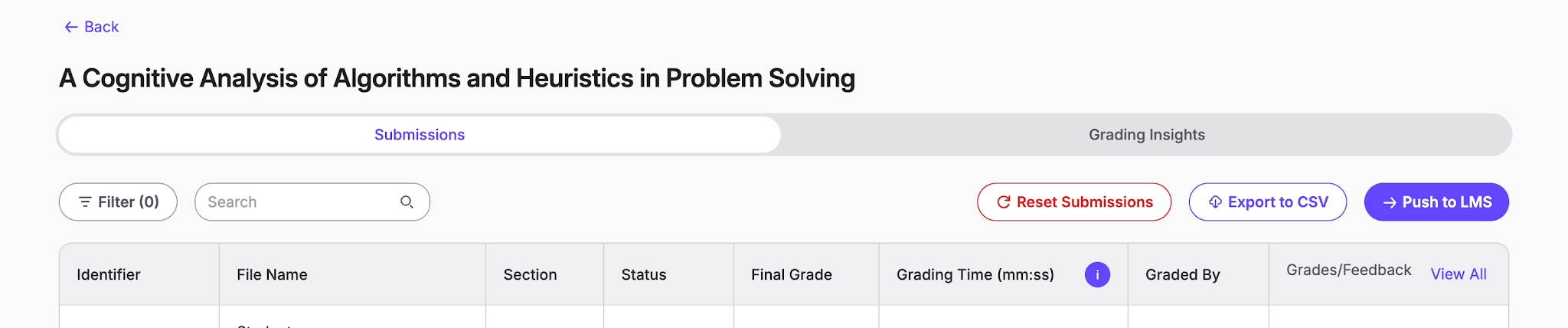
Open the **Manage Submissions** page and select **Push to LMS**.
{% endstep %}
{% step %}
### Choose how you want to push back the grades and feedback
You have two options here, which should cover all use cases:
1. **Push Missing Entries:** only pushes back grades and feedback for students who don’t already have a record in the D2L gradebook. This prevents overwriting grades that you may have entered manually.
2. **Update Existing Entries:** use this when a student made an additional submission which you graded, leaving an outdated record in D2L. It deliberately overwrites any outdated scores we detect, to bring grade and feedback records up to date.
{% hint style="warning" %}
Update Existing Entries overwrites any existing D2L grades for selected students for this assignment.
{% endhint %}
{% endstep %}
{% step %}
### Review and confirm
Don't worry: before you confirm, there is an additional check so you can see whether the records that will be pushed back look correct. Once you hit **Push Grades**, there's no going back!
{% endstep %}
{% endstepper %}
## Related articles
* [How We Handle New Submissions](/d2l-support-articles/assignments/new-submissions.md)
* [Exporting Grades and Feedback](/d2l-support-articles/assignments/export-grades.md)
* [How to Grade Submissions with TimelyGrader](/d2l-support-articles/assignments/grade-submissions.md)