Skip to content
For the complete documentation index, see llms.txt. This page is also available as Markdown.

13. Regeneration for More Accurate Feedback

Tell the AI what to emphasize and regenerate its feedback.

Feedback Regeneration helps you get more accurate, precise and actionable feedback by guiding the AI. Use it when the first-pass feedback doesn’t fully bring out the points you intended.

How it works

1

Let the AI give first-pass feedback

After processing, TimelyGrader generates initial feedback based on the rubric and your Grading Settings and Feedback Settings.

2

Explain what to change

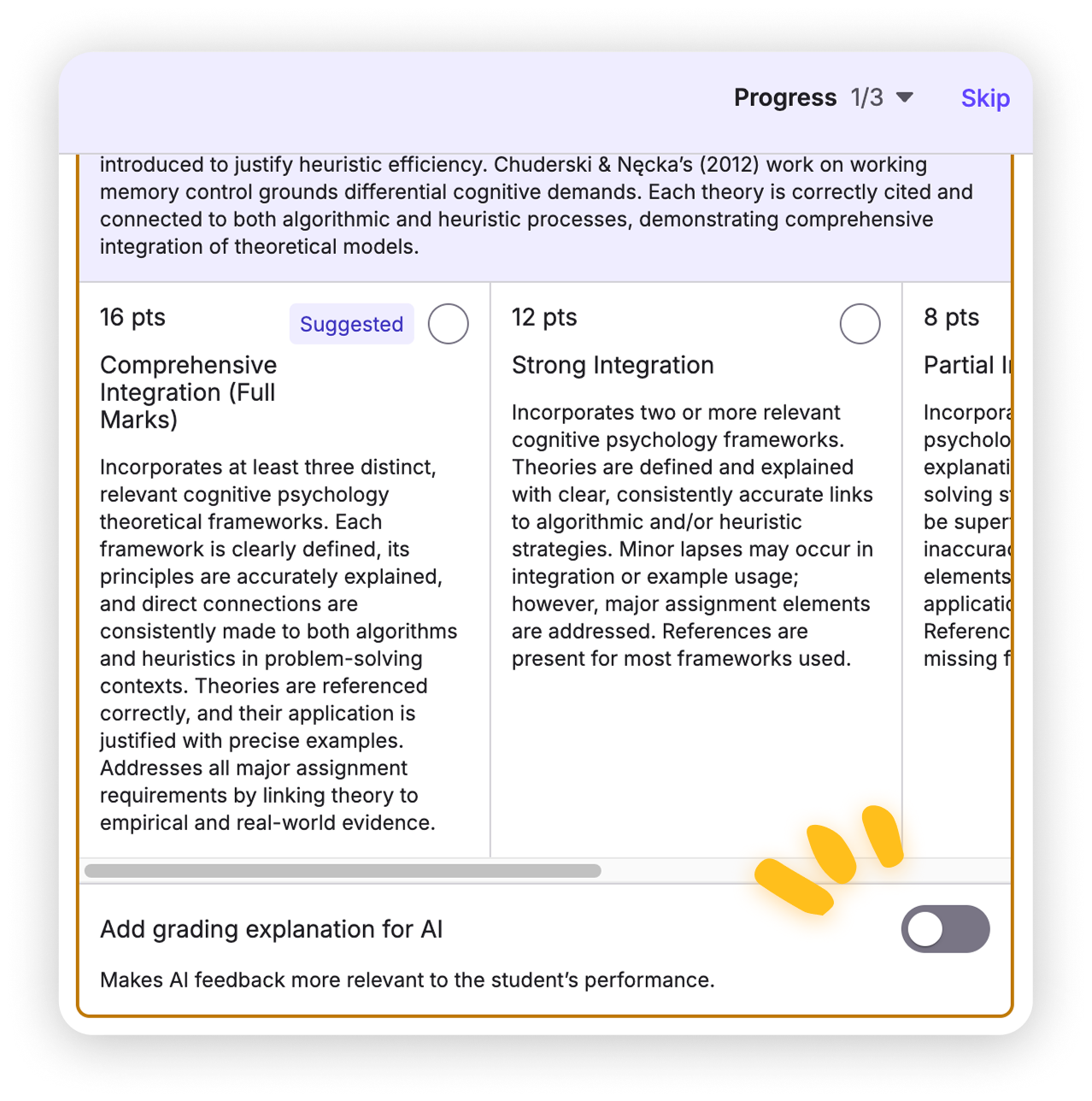
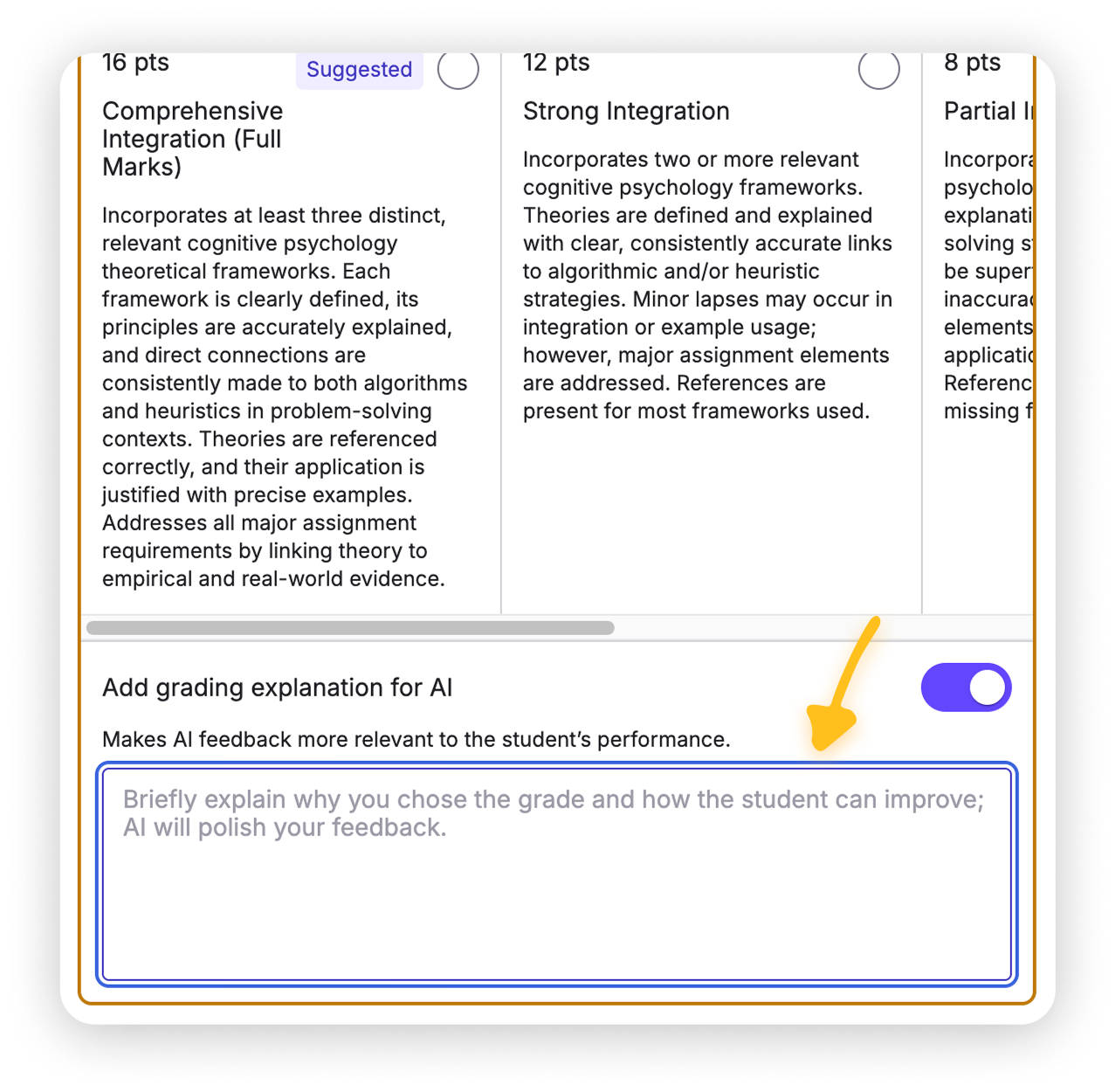
On the Grades tab, use the Add grading explanation for AI section to explain the level change and say which points to emphasize or clarify.

The Add grading explanation for AI section
Writing a grading explanation
3

Click Regeneration

In the top right corner, click the magic wand, the icon for Regeneration. You can regenerate feedback with even more instructions.

The Regeneration magic wand in the top right corner

FAQ

Can I regenerate the same feedback more than once?

Yes. Keep iterating, adding instructions in the Add grading explanation for AI section each time, until the feedback matches your intent.

Does the AI understand my grading criteria?

Yes. Regenerated feedback uses the rubric and grading settings you configured.

Does TimelyGrader learn automatically for future assignments?

No. We don’t consider generative AI reliable or valid enough to make critical decisions like student evaluation on its own. The hope is that what you learn from regenerating carries into how you set up future assignments.

Was this helpful?