

8. What Students See on TimelyGrader
How students access assignments, get feedback on drafts, and what you can see of it.
Knowing what students see helps you support them, anticipate their questions, and design assignments where every submission is a coaching opportunity. Feedback reaches students while they are still working, so assessment supports learning during the work rather than after it.
Where students find their work
Students open TimelyGrader from the same TimelyGrader link in your Moodle course. They're signed in automatically, so there's no separate account or password. Final grades and feedback appear in Moodle once you push them back: on the assignment page and in Grades.
Students only see the courses they're enrolled in, and only their own work. In each course, Coursework lists everything assigned to them, with points and status. Assignments saved as drafts never appear; only published ones do.
Once the roster is synced, students can open an assignment in TimelyGrader and get feedback on their drafts when both are true:
the assignment is published, and
Formative Feedback is turned on in its Formative Feedback Settings.

How students get feedback on drafts
With Formative Feedback on, students can generate up to three rounds of feedback on drafts before submitting a final version. They can also ask Hugo, an assistant that understands their assignment, their submission and the feedback they have received.
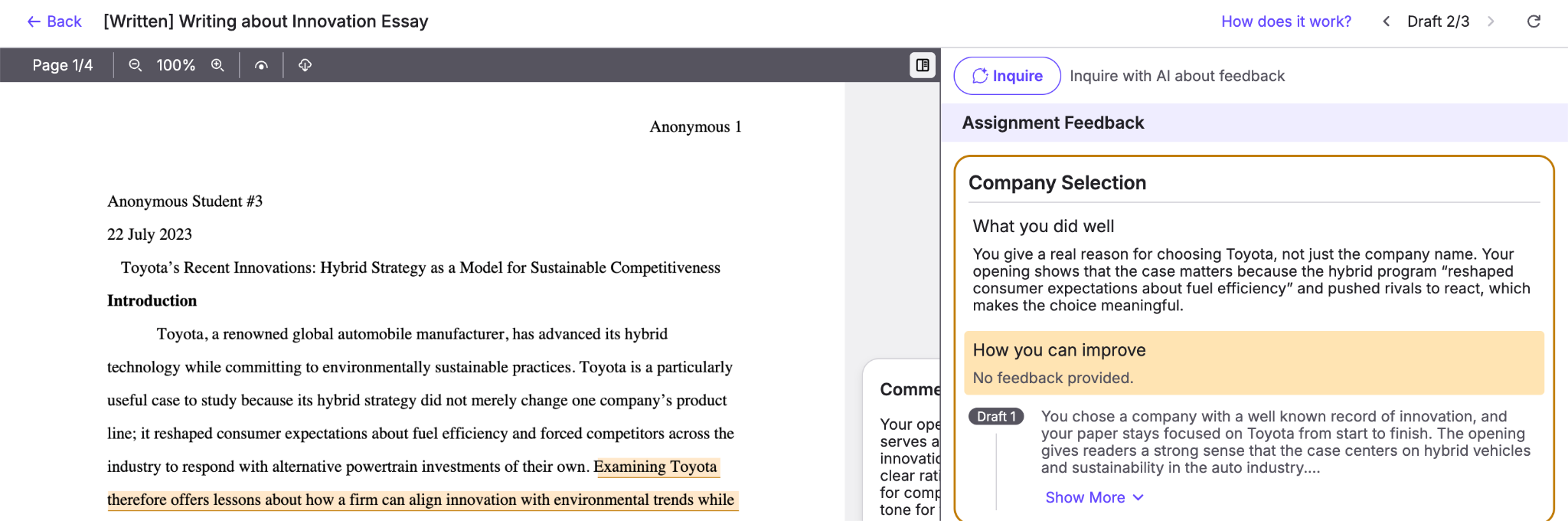
Viewing student drafts as an instructor
Related articles
Was this helpful?