> For the complete documentation index, see [llms.txt](https://help.timelygrader.ai/llms.txt). Markdown versions of documentation pages are available by appending `.md` to page URLs; this page is available as [Markdown](https://help.timelygrader.ai/self-serve-support-articles/11.-billing-questions.md).
# 11. Billing Questions
Frequently asked questions about managing your payment method, plan, and billing cycle on TimelyGrader.
This article answers common questions about finding your billing information, updating your payment details, changing or cancelling your plan, auto-renewal, and switching between monthly and annual billing.
## Where can I find billing & plan information?
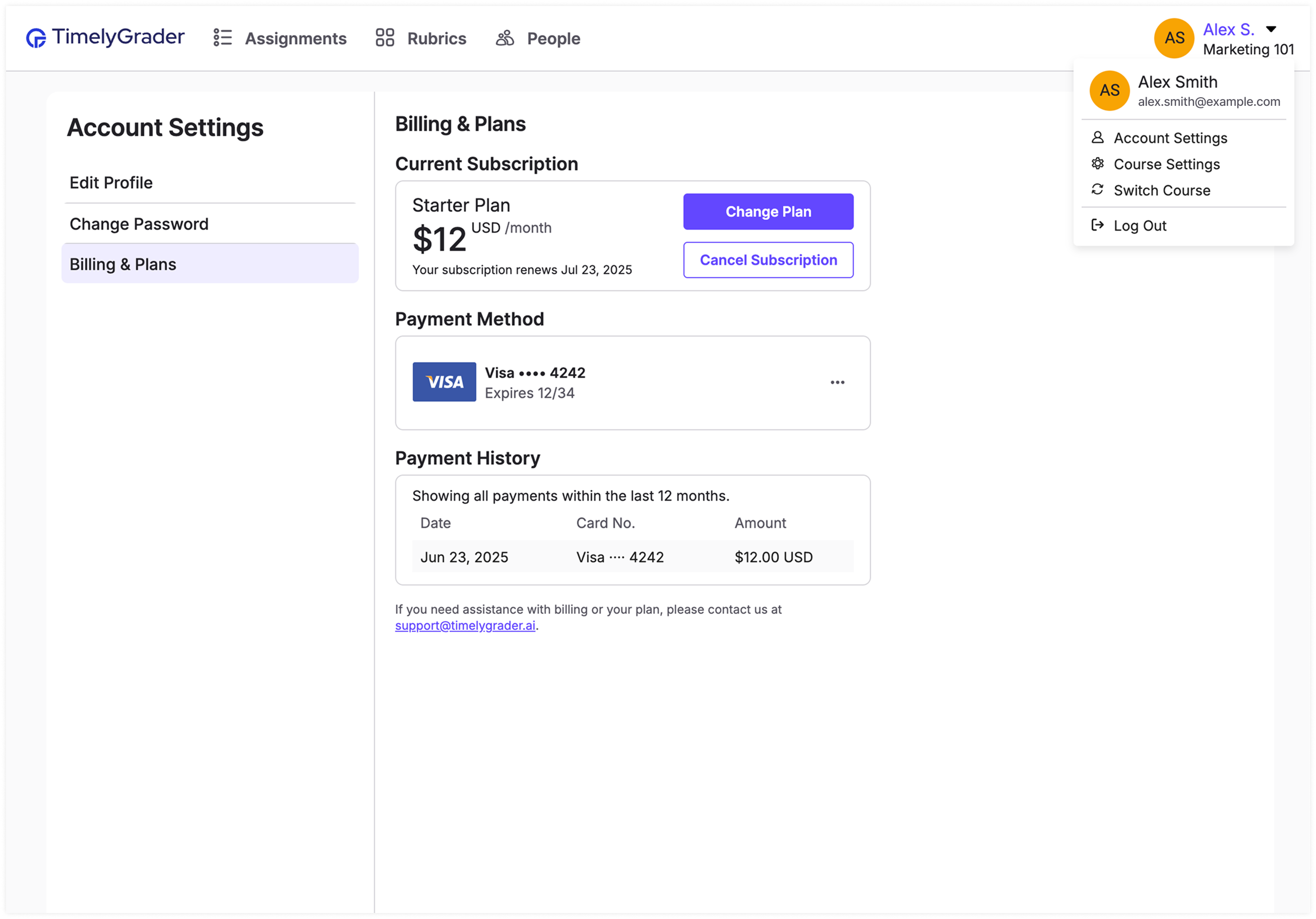
On any main page, click your profile icon in the top-right corner and select **Account Settings**. From there you can view your billing details and manage your plan.
## How do I update my payment details?
1. In **Account Settings**, open **Billing & Plans**.
2. Click the **...** icon next to your current payment method.
3. Select **Update**, enter your new payment details and save.
{% hint style="info" %}
You can't remove a payment method while a subscription is active. Cancel your subscription first.
{% endhint %}
## How do I change or cancel my plan?
### Changing plans
1. In **Billing & Plans**, click **Change Plan**.
2. Choose a new plan. You can upgrade, downgrade, or switch between monthly and annual billing.
### Cancelling your plan
1. In **Billing & Plans**, click **Cancel Subscription**.
2. Click **Cancel Subscription** again to confirm.
## How does auto-renewal work?
Paid plans renew automatically. To stop a renewal, cancel before the end of your billing cycle. You keep access to paid features until the end of the current period.
## Can I switch between monthly and annual billing?
Yes.
* **Monthly to annual:** the switch takes effect at the end of your current monthly period, and your first annual payment is charged then.
* **Annual to monthly:** the switch takes effect at the end of your current annual period, and your first monthly payment is charged then.
{% hint style="info" %}
To keep your current billing cycle, select **Continue with monthly billing** or **Continue with annual billing** on the **Plans & Billing** page before your next charge.
{% endhint %}
## Need help?
For any other billing questions, contact .
## Related articles
* [How to Sign Up for TimelyGrader](https://help.timelygrader.ai/self-serve-support-articles/2.-how-to-sign-up-for-timelygrader.md)
* [Self-Serve Overview](https://help.timelygrader.ai/self-serve-support-articles/1.-self-serve-overview.md)
* [Forgot Your Password?](https://help.timelygrader.ai/self-serve-support-articles/12.-forgot-your-password.md)