> For the complete documentation index, see [llms.txt](https://help.timelygrader.ai/llms.txt). Markdown versions of documentation pages are available by appending `.md` to page URLs; this page is available as [Markdown](https://help.timelygrader.ai/self-serve-support-articles/16.-ai-rubric-in-assignment-setup.md).
# 16. AI Rubric in Assignment Setup
Convert assignment details into structured, point-based rubrics with clear rating levels.
Turn your assignment details into a structured, point-based rubric with clear rating levels, then customize the criteria and scores for faster, more consistent grading.
## Steps
{% stepper %}
{% step %}
### Create your assignment
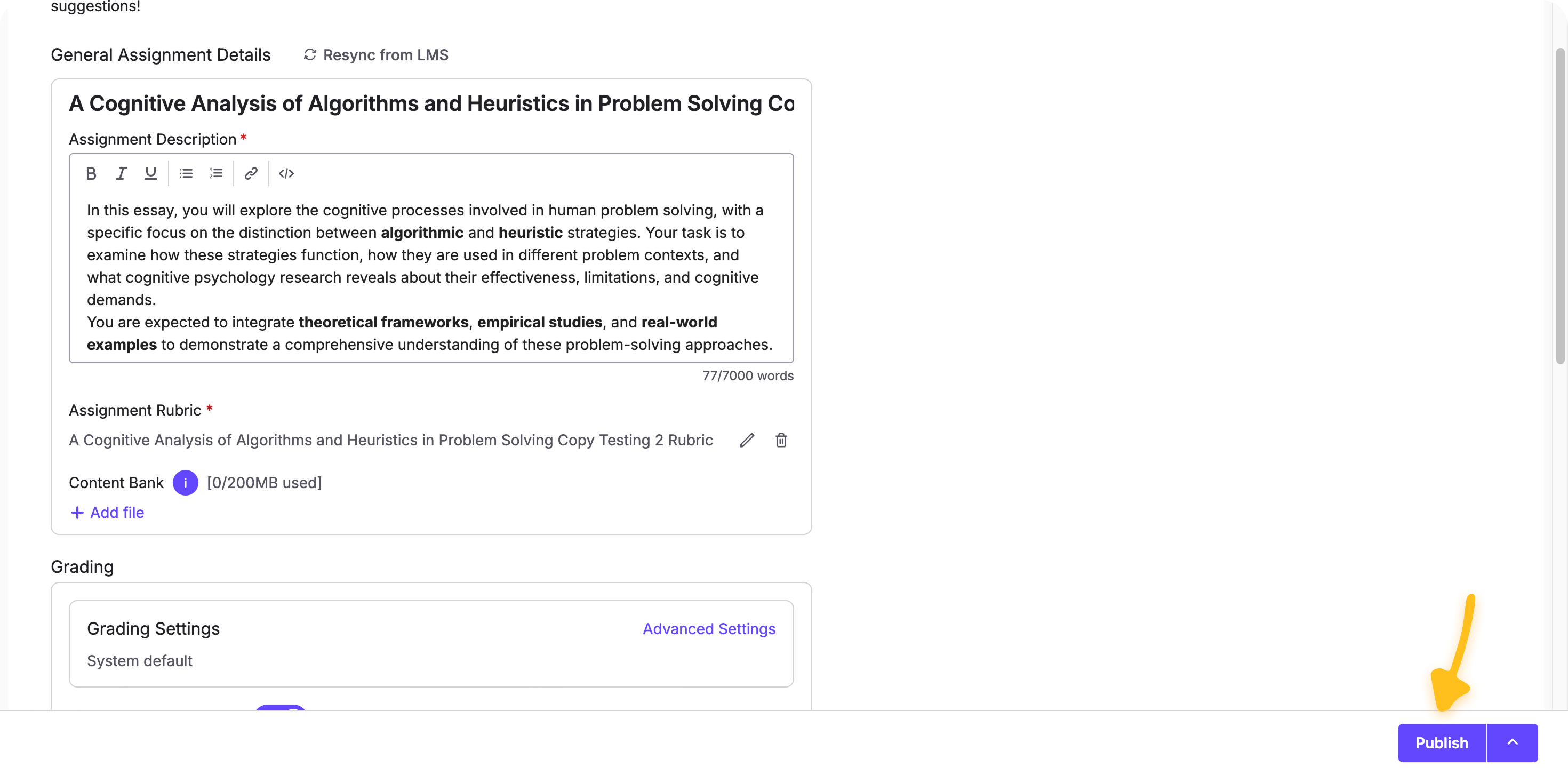
Add the assignment title and instructions, then go to the **Rubric** section and click **+ Add Rubric**.
{% endstep %}
{% step %}
### Begin building your rubric
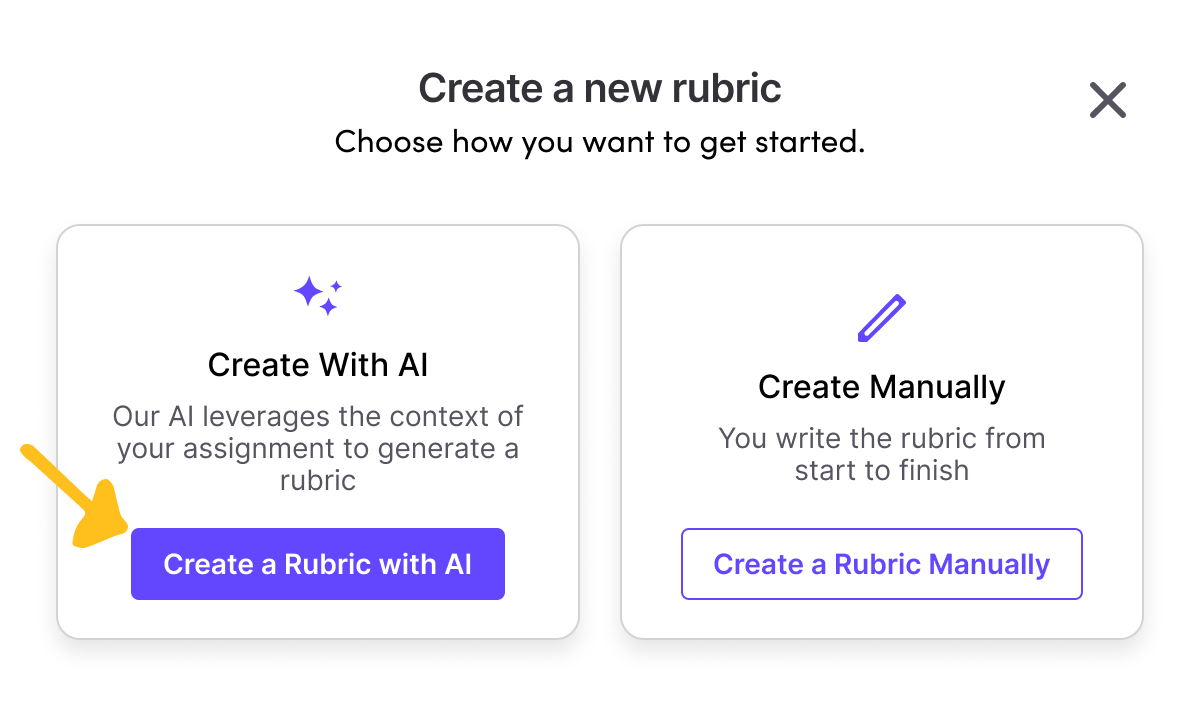
After clicking **+ Add Rubric**, start a new rubric or use a saved template. Select **Create with AI** to build the criteria, rating levels and points automatically.
{% endstep %}
{% step %}
### Choose criteria and scores
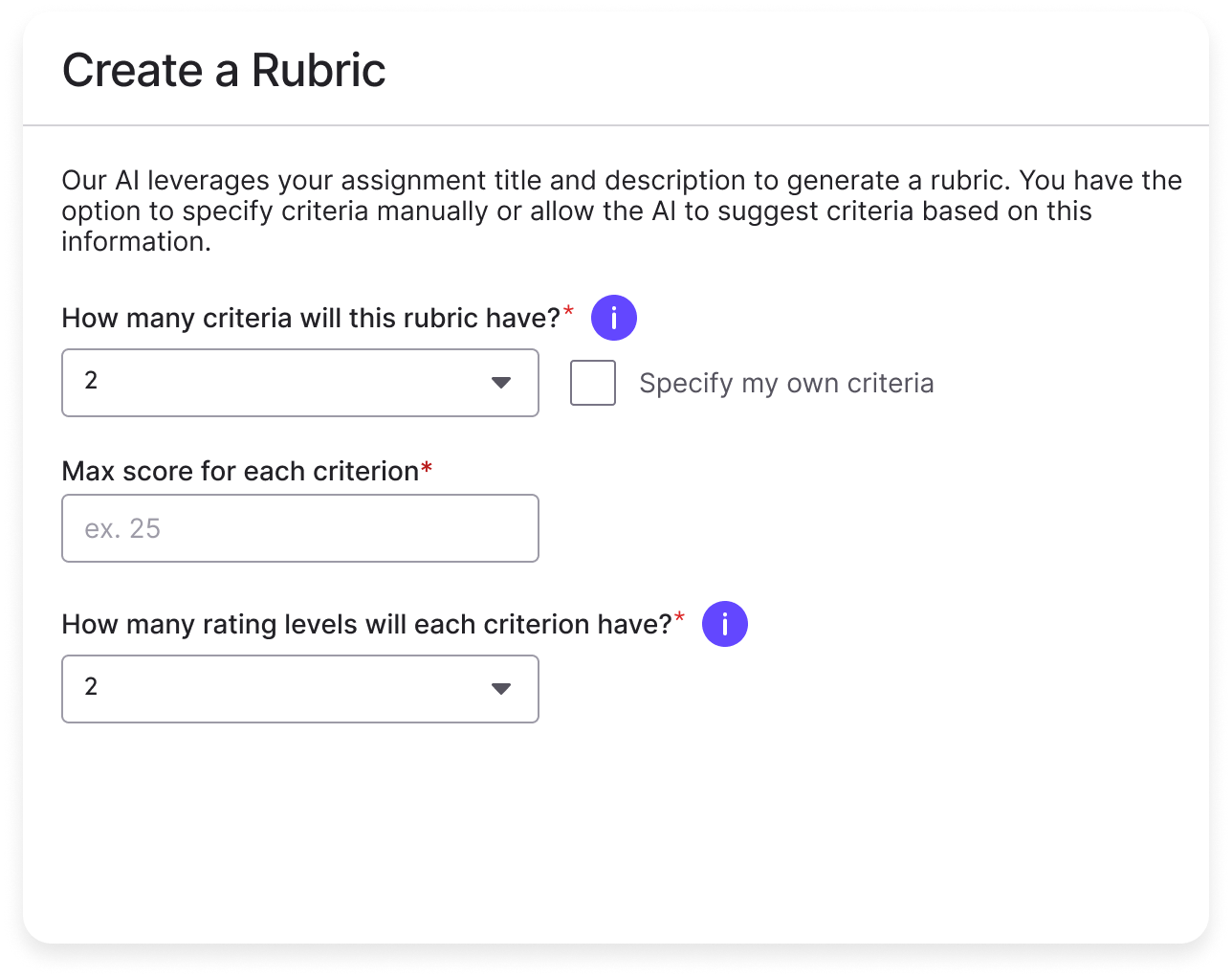
Set how many criteria to evaluate and, optionally, name them (for example, Clarity, Use of Evidence or Formatting). Assign a maximum score to each criterion and choose the number of rating levels (for example, Needs Improvement, Meets Expectations and Exceeds Expectations).
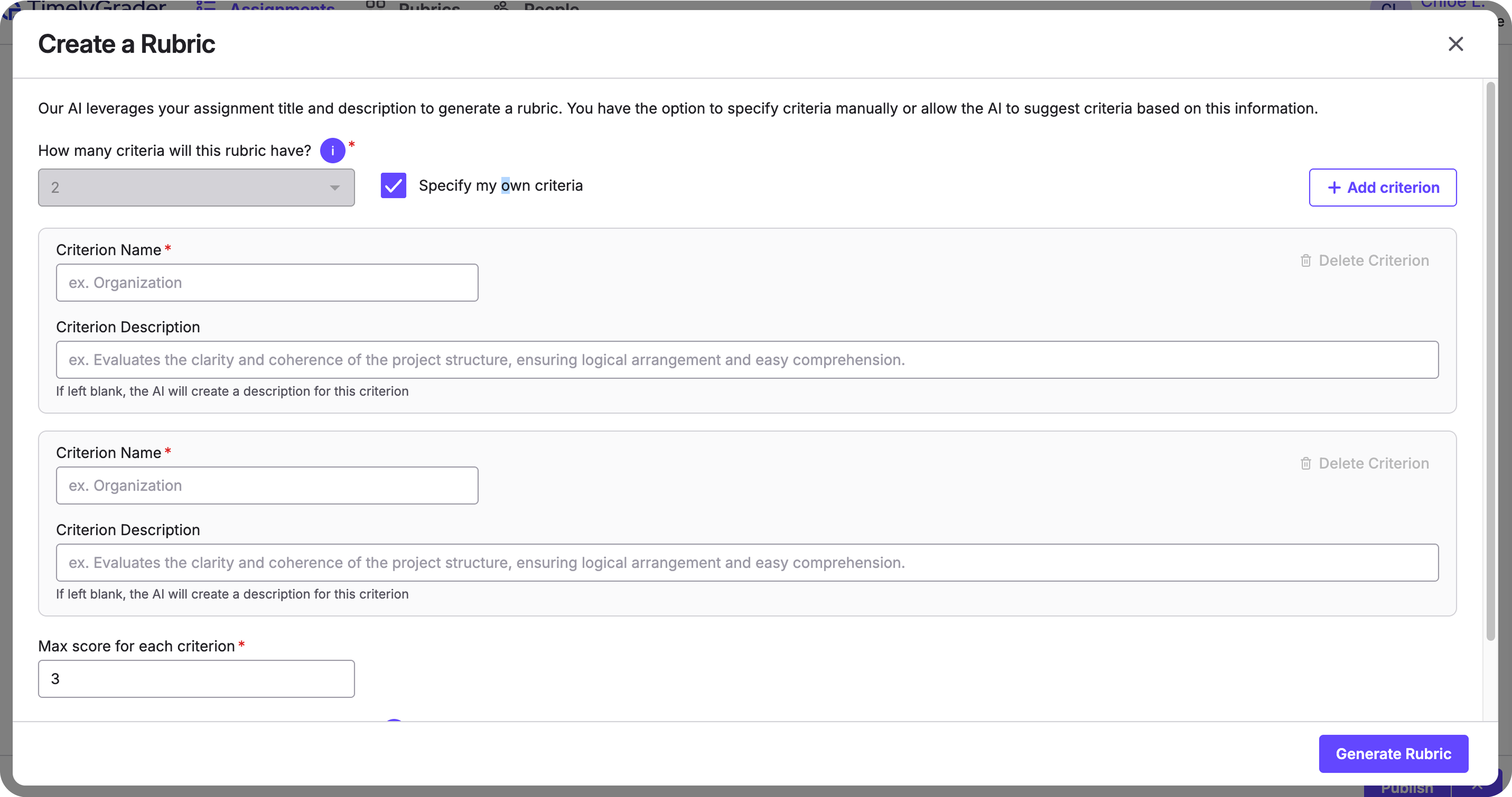
If you leave the criteria unspecified, the AI suggests a set based on the assignment type. To define them yourself, select **Specify my own criteria** and enter the criterion names and descriptions.
{% endstep %}
{% step %}
### Generate the rubric
Click **Generate Rubric**. The AI creates the criteria, point values, rating labels and performance descriptors. Generation runs in the background, so you can keep working while it finishes.
{% endstep %}
{% step %}
### Review, edit and confirm
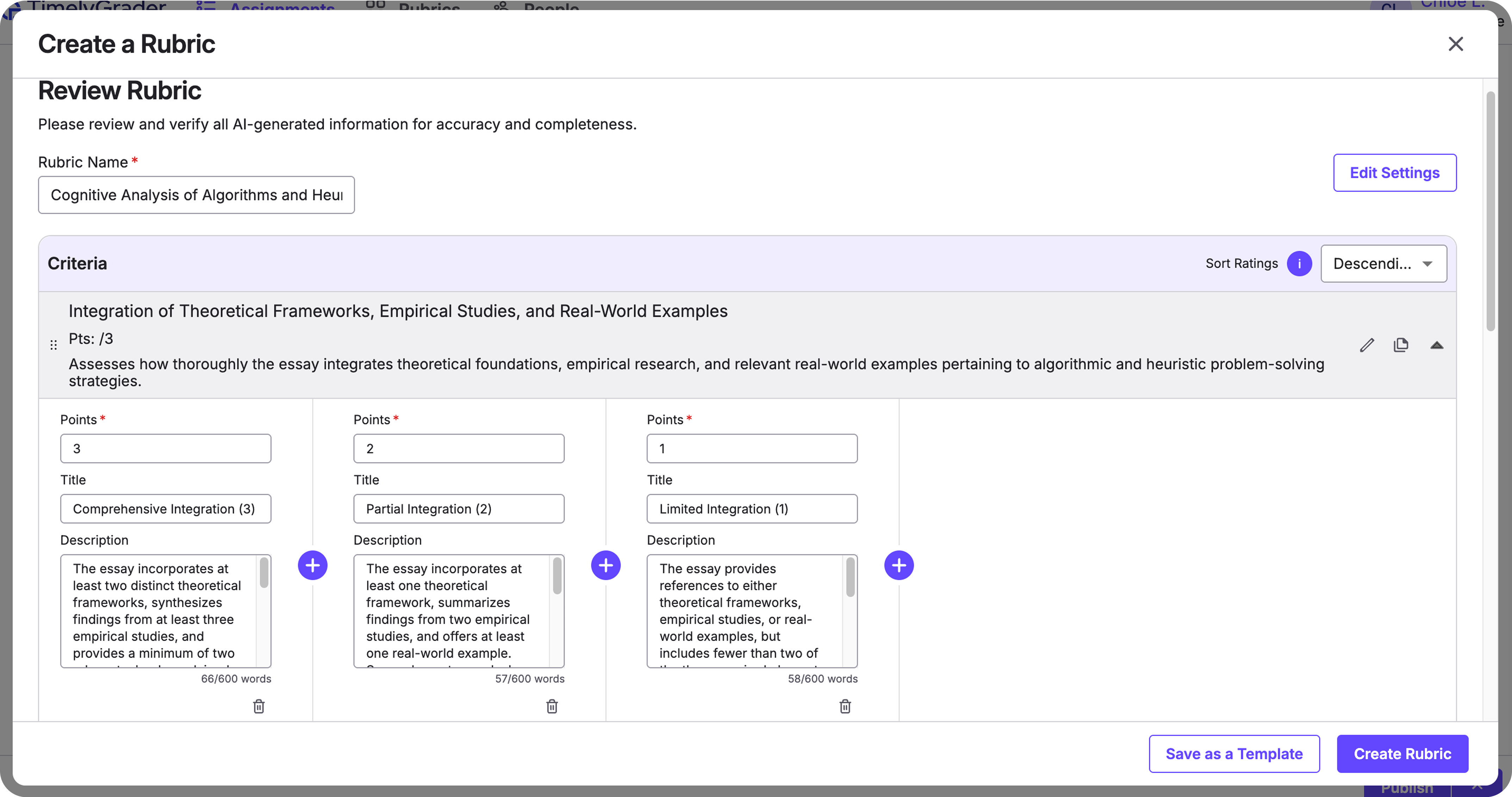
Edit criterion names, point weights and descriptors in place. To change the structure or voice, adjust your inputs and regenerate. When you're satisfied, click **Create Rubric** at the bottom right.
When the assignment is ready, click **Publish**.
{% endstep %}
{% endstepper %}
## Best practices
* Be specific in your assignment instructions and criterion descriptions. Clearer inputs produce better descriptors.
* Keep point totals simple (for example, 100) and weights meaningful.
* Use a consistent number of rating levels across criteria unless you have a reason not to.
## FAQ
Can I reuse a rubric?
Yes. Save it as a Rubric Template and apply it to future assignments. You can edit a template before generating.
What if I already have a partial rubric?
Enter the criteria you have, and the AI fills in the missing descriptors and rating levels.
## Related articles
* [Creating Rubrics on TimelyGrader](https://help.timelygrader.ai/self-serve-support-articles/6.-creating-rubrics-on-timelygrader.md)
* [Refining Results in TimelyGrader: A Practical Guide](https://help.timelygrader.ai/self-serve-support-articles/17.-refining-results-in-timelygrader-a-practical-guide.md)
* [Regeneration for More Accurate Feedback](https://help.timelygrader.ai/self-serve-support-articles/18.-regeneration-for-more-accurate-feedback.md)