> For the complete documentation index, see [llms.txt](https://help.timelygrader.ai/llms.txt). Markdown versions of documentation pages are available by appending `.md` to page URLs; this page is available as [Markdown](https://help.timelygrader.ai/self-serve-support-articles/18.-regeneration-for-more-accurate-feedback.md).
# 18. Regeneration for More Accurate Feedback
How AI regenerates your feedback, refining the targeted comments guided by your input.
When the AI's first draft misses points you wanted to highlight, Feedback Regeneration helps you get more accurate, precise and actionable feedback for your students.
## Steps
{% stepper %}
{% step %}
### Let the AI provide first-pass feedback
After the submissions are processed, TimelyGrader generates initial feedback based on your rubric and any advanced settings you've configured.
{% endstep %}
{% step %}
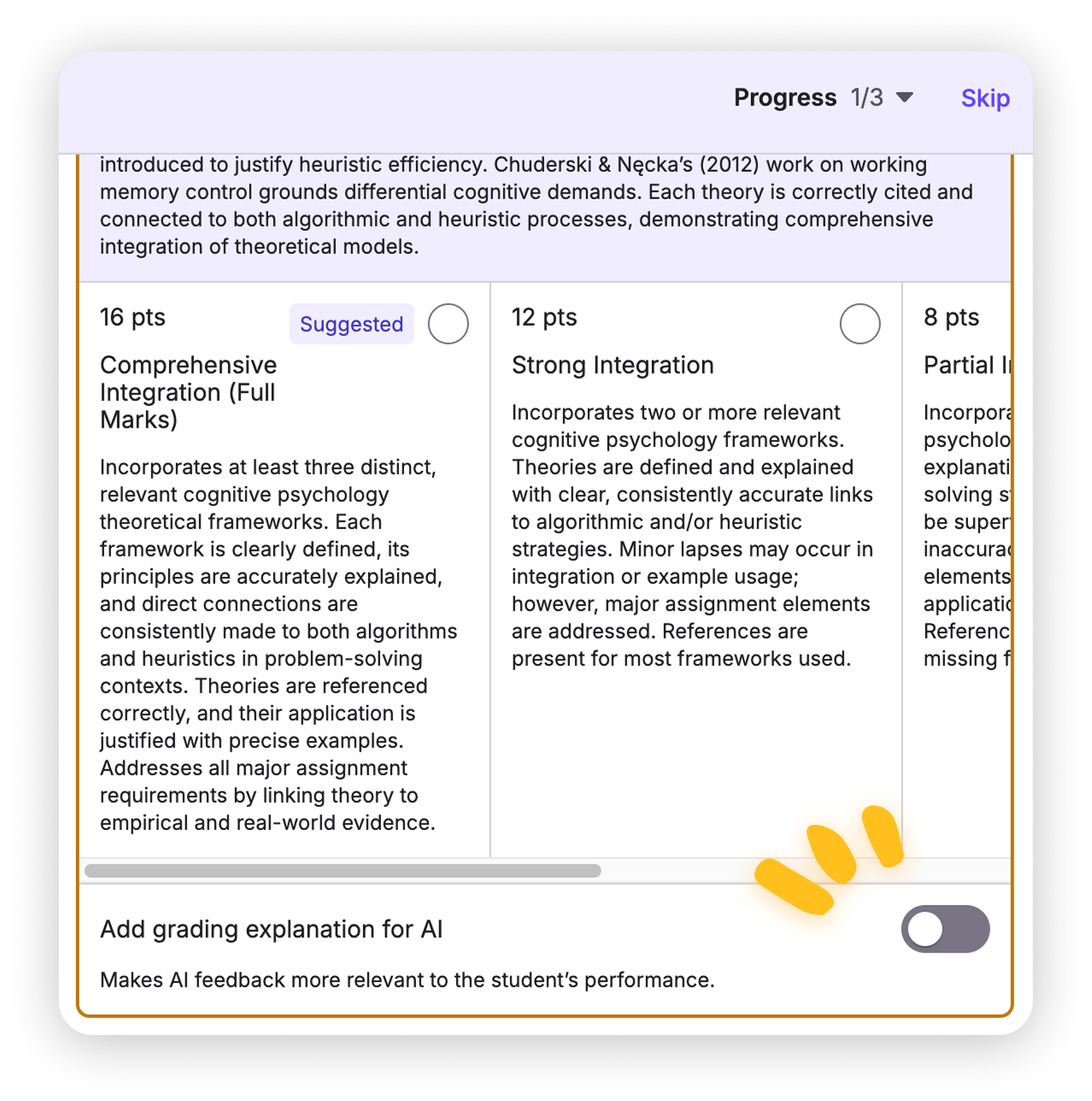
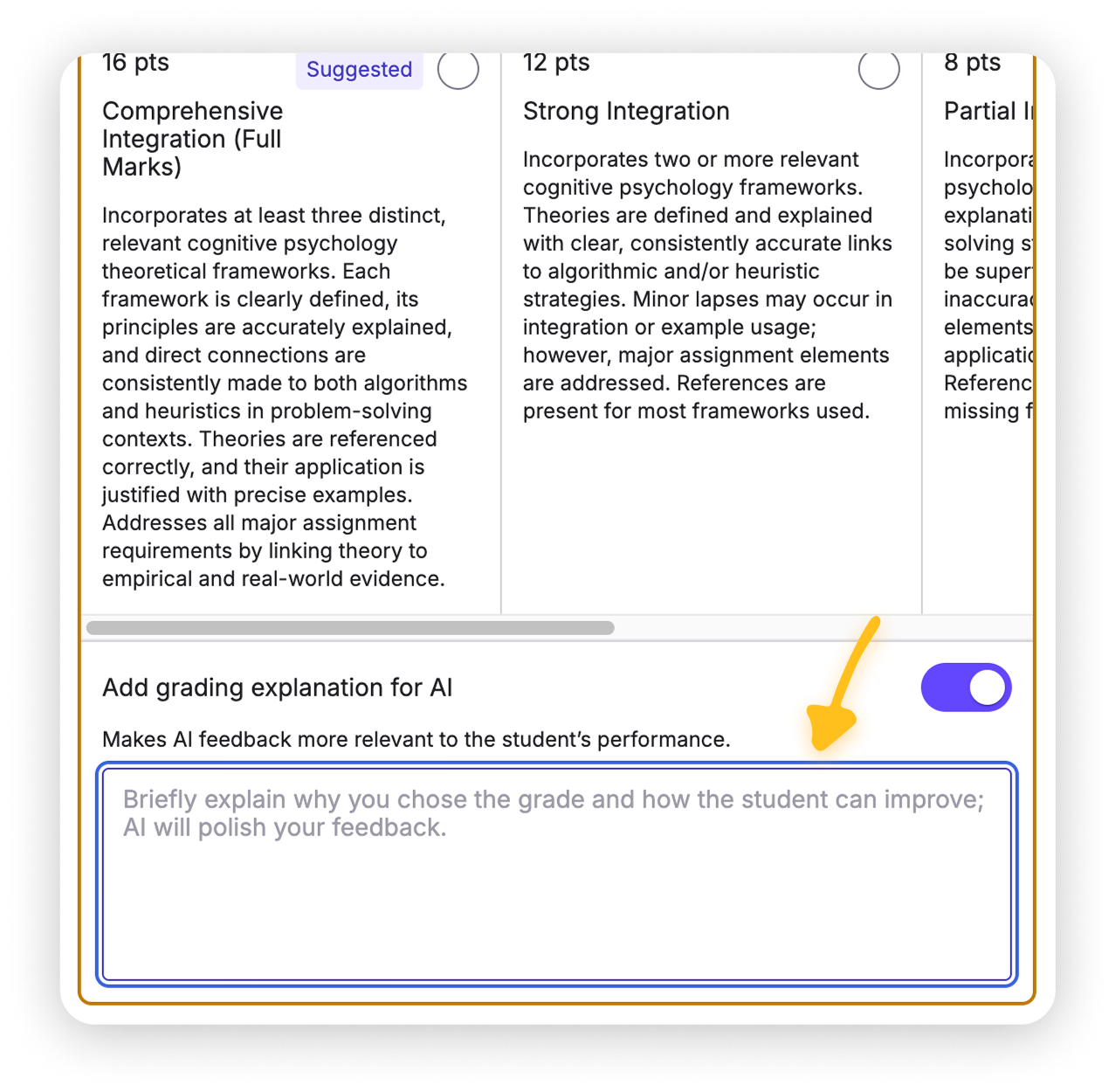
### Refine the feedback in "Add grading explanation for AI"
On the **Grades** tab, explain the level change in the **Add grading explanation for AI** section, specifying what the feedback should emphasize or clarify.
{% endstep %}
{% step %}
### Click Regeneration
Find the **Regeneration** button in the **...** menu at the top right. Regeneration replaces the current feedback based on your input.
{% hint style="warning" %}
Regeneration fully overwrites the existing feedback. Make sure you're ready to replace it before you proceed.
{% endhint %}
{% endstep %}
{% endstepper %}
## FAQ
Can I regenerate feedback multiple times for the same comment?
Yes. Keep adding instructions in the **Add grading explanation for AI** section and regenerating until the feedback matches your intent.
Does the AI understand my grading criteria?
Yes. Regenerated feedback follows the rubric and grading settings you've configured.
Is TimelyGrader learning automatically for future assignments?
No. We believe GenAI isn't yet reliable enough to make high-stakes decisions like student evaluation on its own. We hope you'll use the regeneration process to improve how you use TimelyGrader on future assignments.
## Related articles
* [How to Grade Submissions with TimelyGrader](https://help.timelygrader.ai/self-serve-support-articles/8.-how-to-grade-submissions-with-timelygrader.md)
* [Advanced: Customizing Feedback](https://help.timelygrader.ai/self-serve-support-articles/14.-advanced-customizing-feedback.md)
* [Refining Results in TimelyGrader: A Practical Guide](https://help.timelygrader.ai/self-serve-support-articles/17.-refining-results-in-timelygrader-a-practical-guide.md)