> For the complete documentation index, see [llms.txt](https://help.timelygrader.ai/llms.txt). Markdown versions of documentation pages are available by appending `.md` to page URLs; this page is available as [Markdown](https://help.timelygrader.ai/self-serve-support-articles/4.-inviting-other-instructors-to-your-course.md).
# 4. Inviting Other Instructors to Your Course
Invite instructors or teaching assistants to your course so you can collaborate on assignments and grading.
Invite instructors or teaching assistants to your course so you can collaborate on assignments and grading.
## Steps
{% stepper %}
{% step %}
### Open your course
From the course dashboard, select the course you want to share.
{% endstep %}
{% step %}
### Open the People tab and click Invite
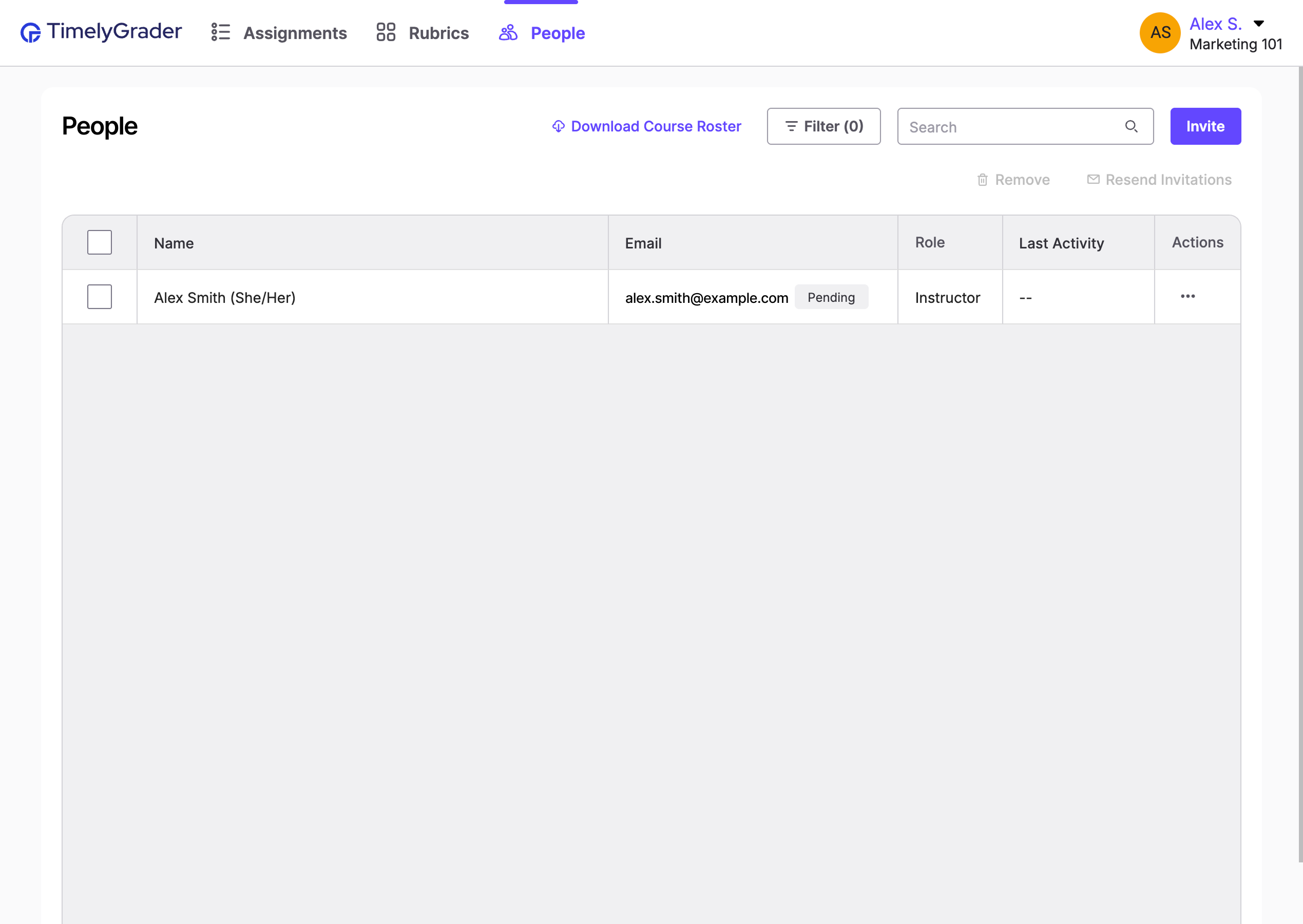
In the course's top navigation, open **People**, then click **Invite** in the top right corner.
{% endstep %}
{% step %}
### Add email addresses and send invites
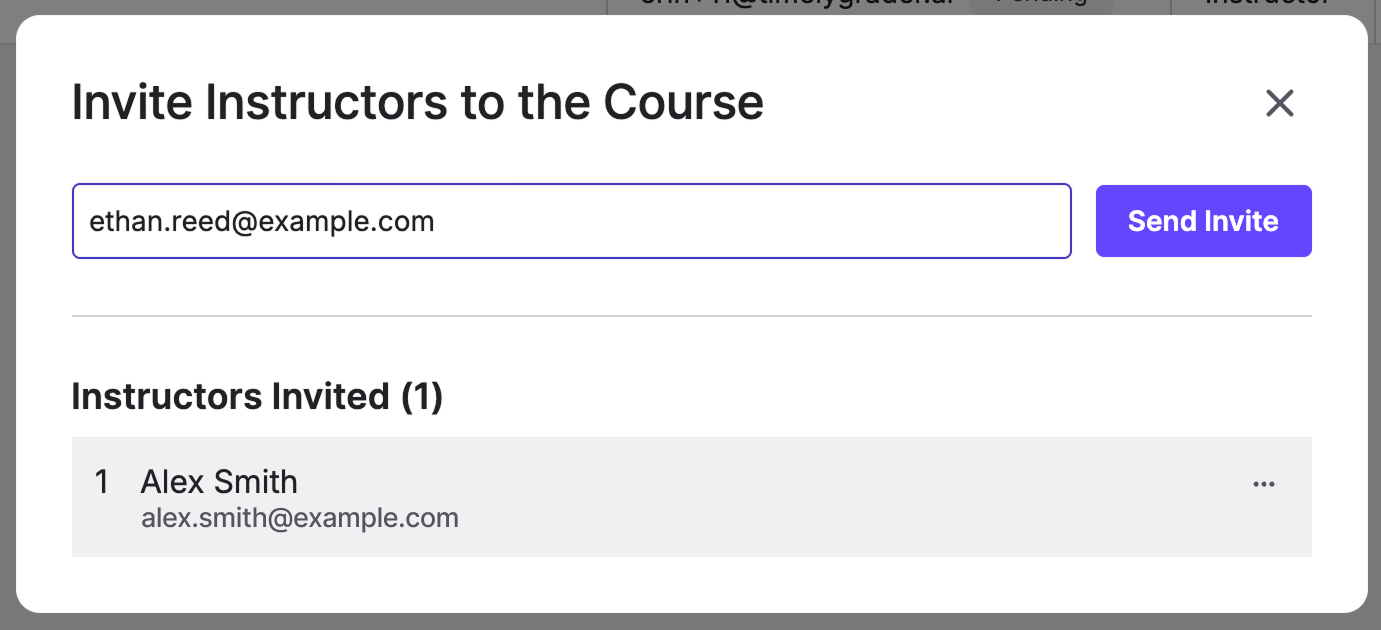
Enter the email addresses of the instructors you want to add, then click **Send Invite**.
{% hint style="success" %} **Hugo’s tip:** You can invite several instructors at once by separating their email addresses with Enter or commas.
{% endhint %}
{% hint style="info" %}
Invitees receive an email with a link to join. Their status shows as **Pending** on the People page until they accept.
{% endhint %}
{% endstep %}
{% endstepper %}
## Related articles
* [Creating Courses on TimelyGrader](https://help.timelygrader.ai/self-serve-support-articles/3.-creating-courses-on-timelygrader.md)
* [Not receiving invitation and/or notification emails](https://help.timelygrader.ai/technical-and-security-questions/not-receiving-invitation-and-or-notification-emails.md)
* [Creating an Assignment](https://help.timelygrader.ai/self-serve-support-articles/5.-creating-an-assignment.md)

 **Hugo’s tip:** You can invite several instructors at once by separating their email addresses with Enter or commas.
{% endhint %}
{% hint style="info" %}
Invitees receive an email with a link to join. Their status shows as **Pending** on the People page until they accept.
{% endhint %}
{% endstep %}
{% endstepper %}
## Related articles
* [Creating Courses on TimelyGrader](https://help.timelygrader.ai/self-serve-support-articles/3.-creating-courses-on-timelygrader.md)
* [Not receiving invitation and/or notification emails](https://help.timelygrader.ai/technical-and-security-questions/not-receiving-invitation-and-or-notification-emails.md)
* [Creating an Assignment](https://help.timelygrader.ai/self-serve-support-articles/5.-creating-an-assignment.md)